DataHub Pro Installation: Can You Do It Yourself?
When PredictWind sent us a DataHub Pro to install on our boat, I was a little intimidated. I’m not particularly techy, and looking at the DataHub Pro installation instructions involving NMEA connections, GPS antennas and IP addresses wasn’t exactly in my comfort zone.
But we did it! Scott and I installed it ourselves on our 2010 Lagoon 421.
We spent roughly $215 on additional parts to connect the DataHub Pro to our Raymarine system. Setup took us about 1.5 hours, followed by another 30–45 minutes for the physical installation.
The installation itself ended up being easier than I expected, but figuring out what we needed for our Raymarine system, and running into a couple of not-so-straightforward setup steps, slowed us down. Here’s exactly what we needed, what we spent, and what I’d want to know before doing it again.
What We Needed to Install DataHub Pro
When PredictWind reached out to me to see if we were interested in trying out the DataHub Pro, we took a look to see what it would take on our end to install it.
Full disclosure: PredictWind supplied us with the DataHub Pro free of charge, and upgraded our subscription from the Standard Plan to the Professional plan, while we tried out DataHub Pro. We have been paying for the Standard Plan on our own, and purchased the additional pieces to connect DataHub Pro to our boat on our own.
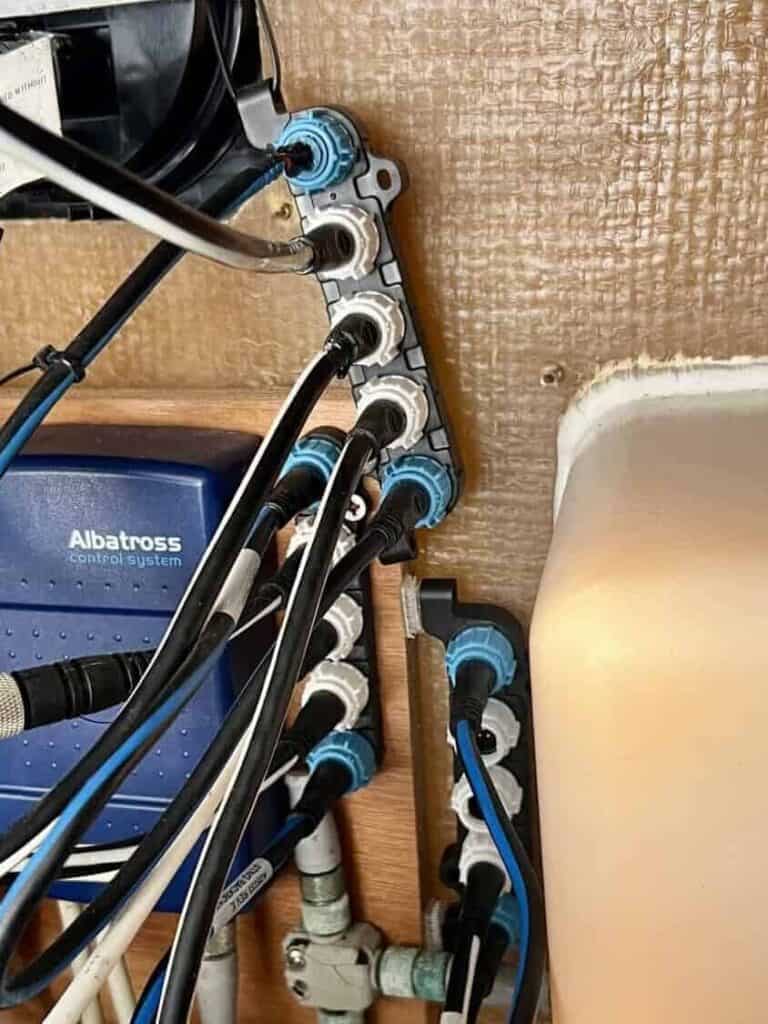
Our boat has Raymarine electronics, so we had to purchase adaptor pieces to make our boat talk to the DataHub Pro. We also noticed that all of the ports on our existing Raymarine A06064 Seatalk NG 5-Way Connector Blocks were being utilized, so we needed to purchase another connector block and backbone cable.
Trust me, it sounds more complicated than it really is.
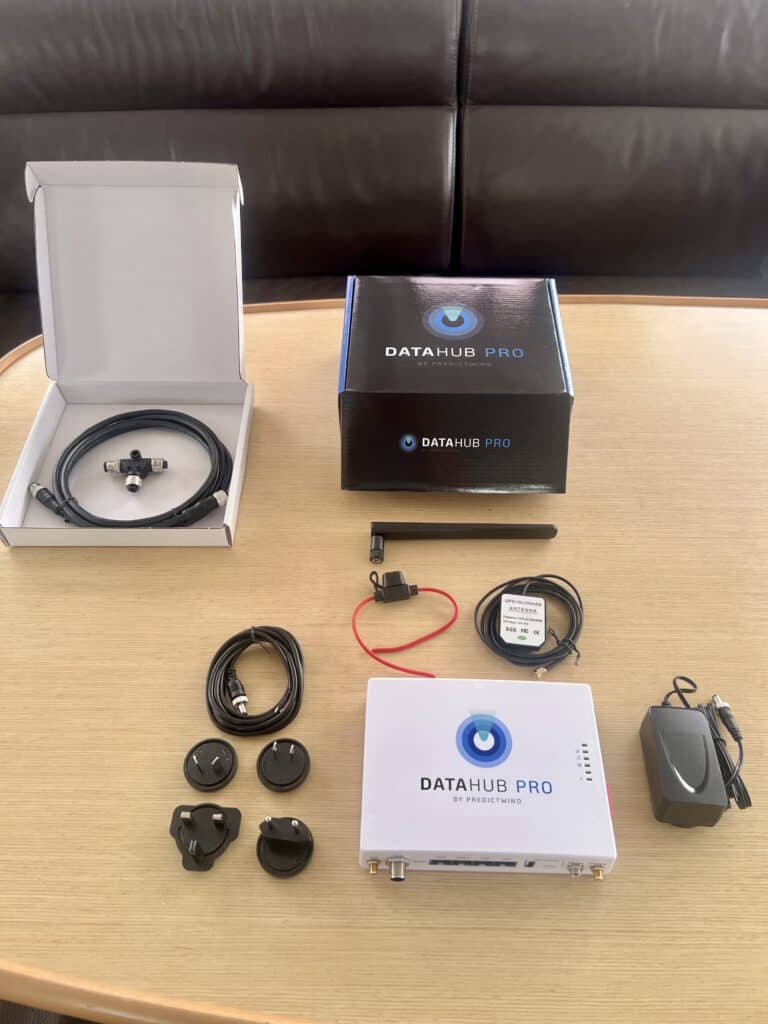
This is what we received in the DataHub Pro box:
- DataHub Pro Device
- AC/DC Power Adapter
- International Adaptors
- Fixed install cable
- Fuse holder with fuse
- Puck GPS Antenna
- Cellular Antenna
Here’s what we purchased to connect the DataHub Pro to our Raymarine system:
| Part | Price |
|---|---|
| Raymarine Seatalk NG Backbone Cable 0.4m (RAY-A06033) | $62.48 |
| Raymarine A0602 DeviceNet (Female) to ST-ng (male) adapter, Black/White, Small | $45.85 |
| Raymarine Seatalk NG Spur Cable 0.4 (RAY-A06038) | $59.18 |
| Raymarine A06064 Seatalk NG 5-Way Connector Block | $47.33 |
| Total | $214.84 |
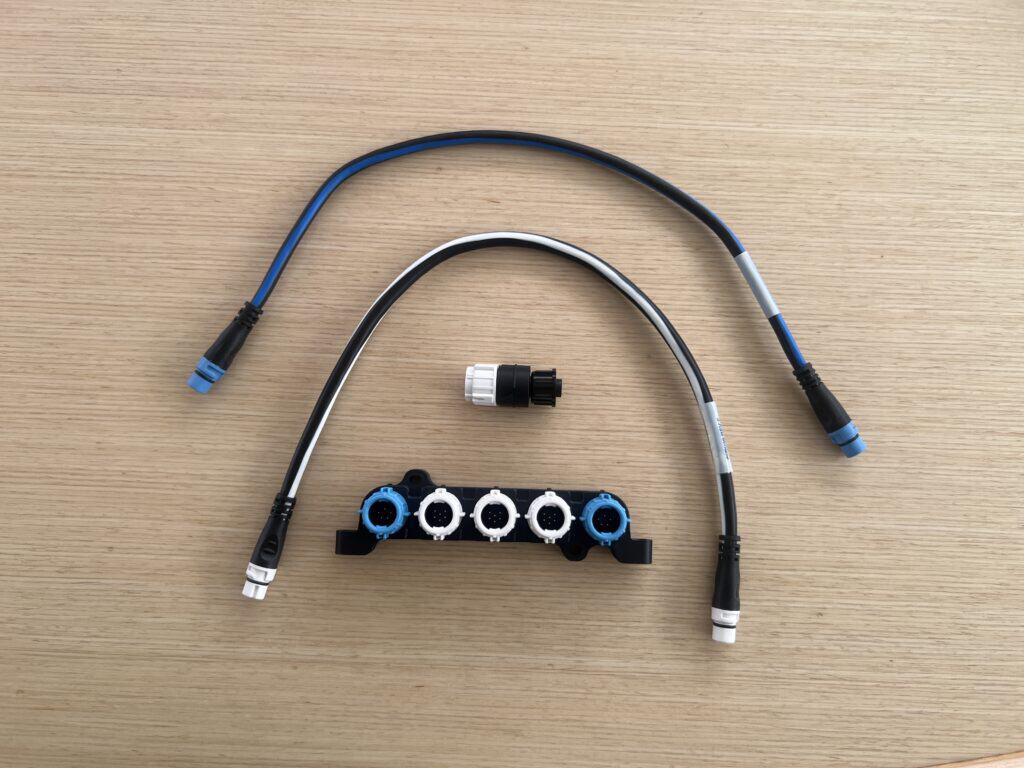
You may not need all, or any, of these additional parts. We needed them specifically because our boat has Raymarine electronics and all of the ports on our existing connector blocks were already being used.
I recommend inspecting your existing system to see what additional hardware you may need to connect the DataHub Pro to your boat.
How We Set Up DataHub Pro Before Installing It
With all of the parts and pieces ready to go, we pulled up PredictWind’s DataHub Pro Quick Start Video to start the process of installing our DataHub Pro.
We pulled up the quick start video on Scott’s iPhone and used my laptop to connect to the DataHub Pro’s Wi-Fi, following the instructions from the video. We also referred to PredictWind’s DataHub Pro help articles when we needed additional setup information.
We found it useful to use both a phone and a laptop for this because while using my laptop to connect to the DataHub Pro, it momentarily kicked us off our Starlink Wi-Fi in the process, so I couldn’t use the same device to watch the next instructions.
Without going through the full setup in detail, since you can watch the Quick Start Video, the steps include:
- Plug in DataHub Pro
- Connect to its Wi-Fi
- Go to 10.10.10.1
- Connect DataHub Pro to Internet
- Update Software
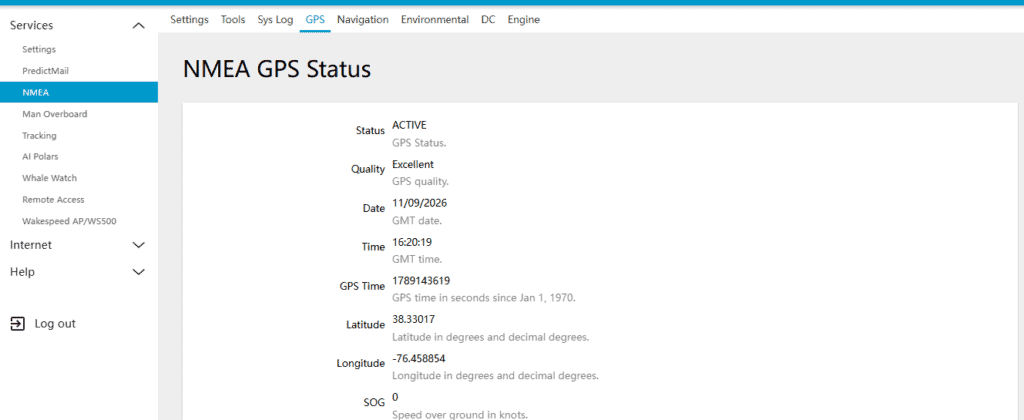
- Configure GPS (recommend plugging in the antenna before powering up the unit in step 1)
Be Patient With the Software Update
It is important to be patient during this step, as it’s hard to tell if anything is happening. We may or may not have checked it at around 10 minutes, smashing buttons to see if it was working, and had to start the installation process over again. I recommend giving it at least 20 minutes.
Don’t Forget to Plug In the GPS Antenna
As we were going through the Quick Start Video, at one point the video already had the GPS antenna plugged in, but we either missed the step where they said to plug it in, or they forgot to mention it. Either way, DO plug the antenna in right at the start.
Also note that it took about 5 minutes for the status to go from VOID to ACTIVE after we had plugged it in.
Connecting DataHub Pro to our Raymarine System
This is where your installation may look completely different from ours, depending on your boat’s setup.
Our boat has Raymarine electronics, so we needed an adapter to connect the DataHub Pro. All of the connection blocks on our boat were already occupied, which meant we also had to install another block.
Scott and I both researched and found the parts we needed on Amazon. We also found the connector block at West Marine, where we actually got a better deal.
As far as the install goes, it was pretty simple for us. We added a third connection block next to the two we already had. Then we connected these blocks together using the Raymarine Seatalk NG Backbone Cable. This gave us an open port to connect the DataHub Pro to. We used the Raymarine A0602 DeviceNet (Female) to ST-ng (male) adapter and Raymarine Sealtalk NG Spur Cable 0.4 to connect the DataHub Pro to the connector block that connects to our Raymarine system.
We are lucky because we have a large panel behind our helm station where we can access our Raymarine system, and this is also where our Starlink router is located.
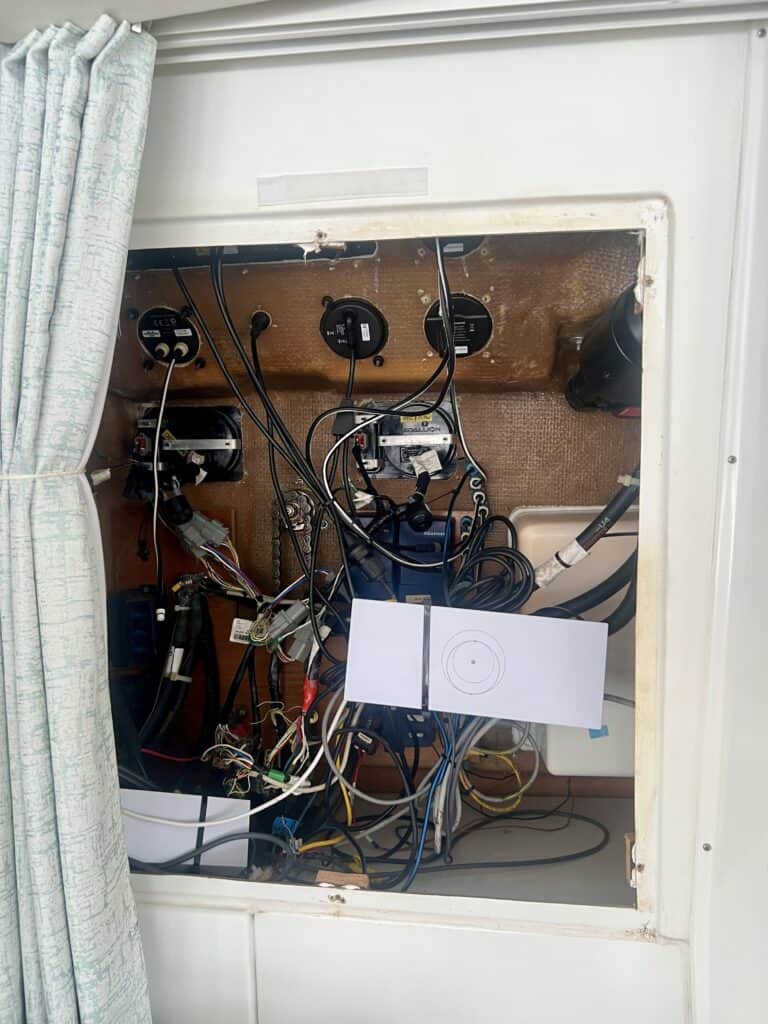
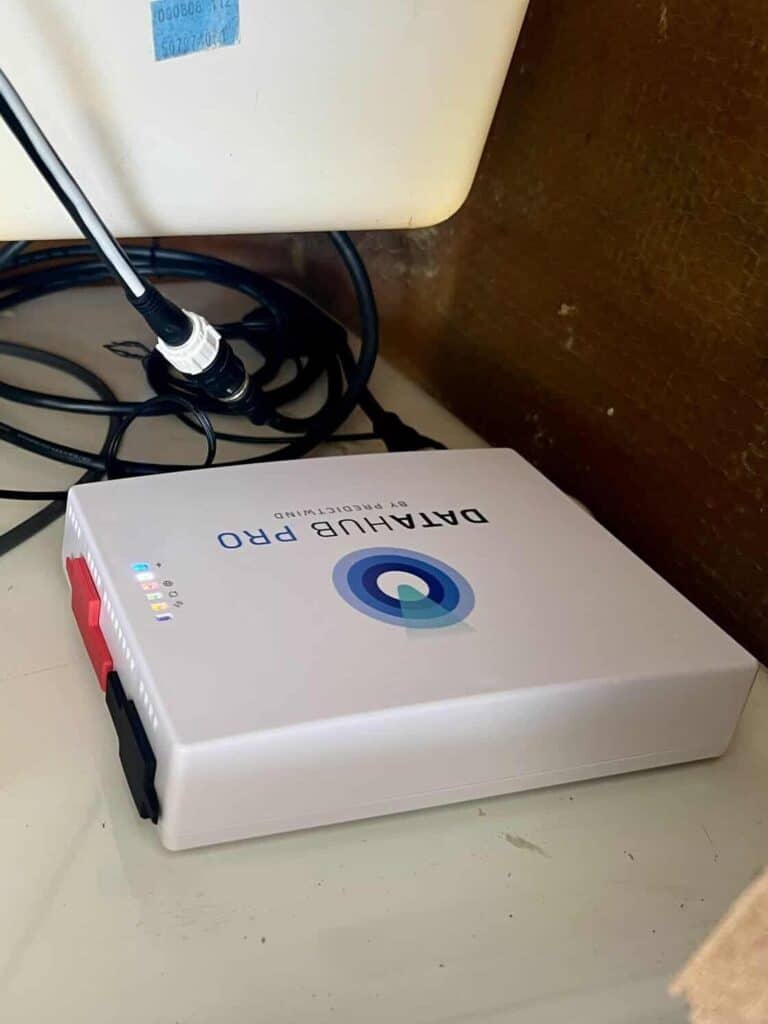
The DataHub Pro can connect to your Starlink router either with a physical cable or over Wi-Fi. Since our Starlink router is located near where we installed the DataHub Pro, we opted to connect the two over Wi-Fi rather than running a cable between them.
We also have room in this area to mount the DataHub Pro device horizontally, as recommended by PredictWind, for the best Wi-Fi coverage.
The actual physical installation of the DataHub Pro took us approximately 30-45 minutes from start to finish, once we finished installing the software, checking for updates, and plugging in the GPS.
How Long Did Our DataHub Pro Installation Take?
After having the DataHub Pro in hand, and buying and receiving the parts we needed to connect it to our Raymarine system, the installation took us approximately 2 – 2.25 hours:
- Initial Setup: 1.5 Hours
- Physical Installation: 30 – 45 minutes
- Total Time: About 2 to 2.25 hours
5 Things To Know Before Installing DataHub Pro
Here are a few helpful tips we learned from installing DataHub Pro:
- Figure out your boat’s setup before installation day. As I’ve mentioned, we had to order additional parts to connect the DataHub Pro to our Raymarine system.
- Use a second device for the Quick Start Video. It was very helpful having the video up on a separate device than what we were using to connect the DataHub Pro to our boat’s Wi-Fi. Part of this process turns off the internet, so we were still able to know what to do next.
- Expect the software update to take a while. I believe the video says to allow for 5-10 minutes for the software update, but it took us closer to 20 minutes for it to update.
- Plug in the GPS. This was not obvious to us when following along with the video.
- Don’t panic if the GPS says VOID. It takes about 5 minutes for everything to talk to each other and for GPS data to show up and the status to change to ACTIVE.
Can You Install DataHub Pro By Yourself?
Based on our experience – yes. Even if you are not techy like me.
I actually took the lead in figuring out what we needed, how and where to install it, and going through the installation steps. Scott definitely helped and checked me along the way, but I had an active involvement and understood the steps.
The biggest “challenge” for us was our Raymarine system and needing the adapter to get the DataHub Pro to talk to our boat.
I understand that every boat is different, with different systems and available space. PredictWind actually offers installation assistance for $100 if you want the extra help or have a more complex setup on your boat.
Now that DataHub Pro is installed on our boat, we are excited to set sail and see how it works for us. After we get the chance to sail down the east coast, to the Bahamas, and hopefully down to the Caribbean from there, we will have a great opportunity to test it out.
Stay tuned for our review of the DataHub Pro after we check out all of its features.
If you’re still deciding whether PredictWind itself is worth paying for, that’s something we have much more experience with. We’ve had PredictWind’s Standard Plan ever since we left to sail full-time in January 2023. You can read our full PredictWind review to see which features we actually use while sailing and why it’s still one of our favorite and most trusted weather tools.
